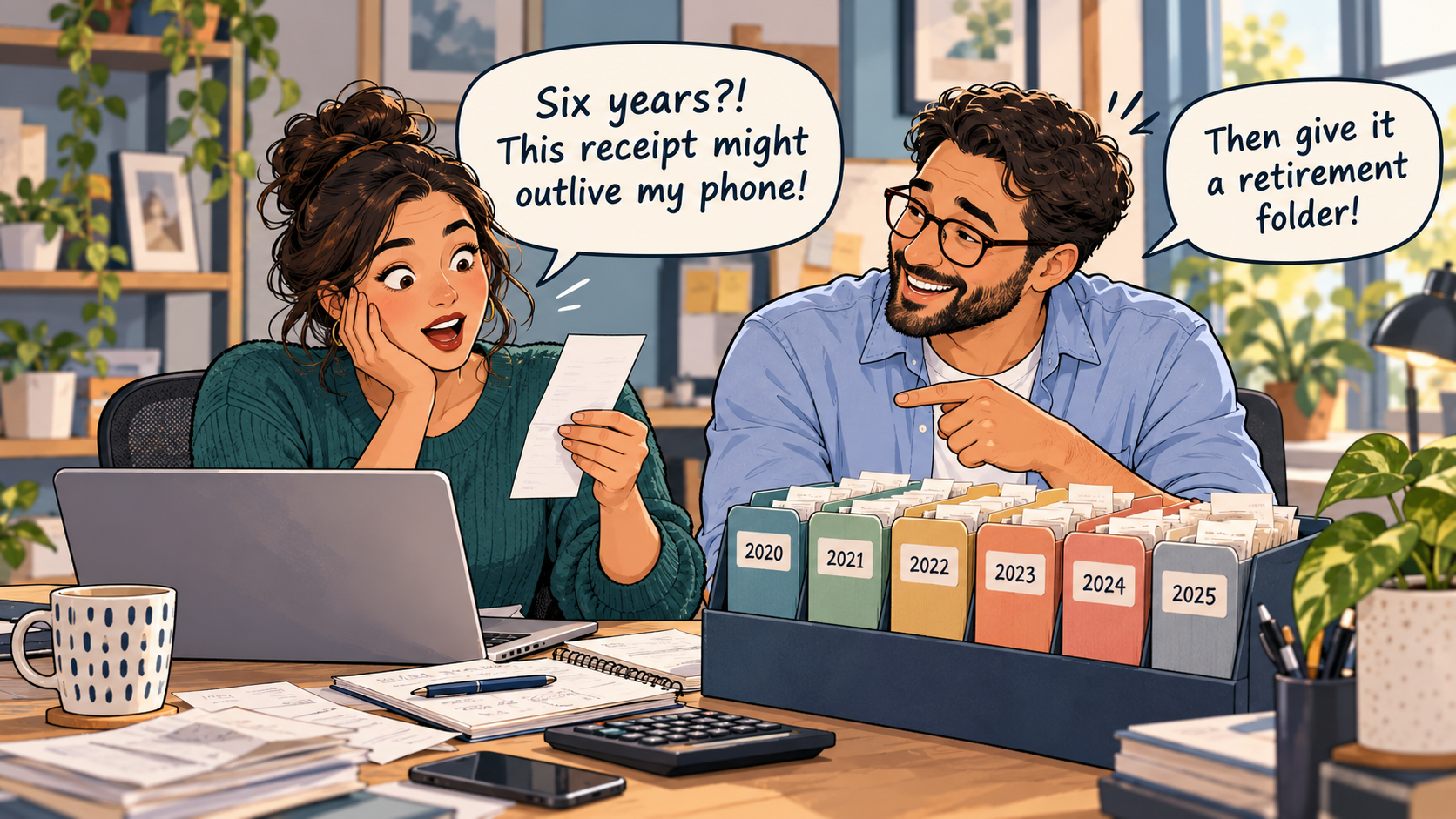
Somewhere in your business, there's probably a receipt that has gone missing.
Maybe it's in your jacket pocket. Maybe it's buried in your email. Maybe you left it in the shopping bag that went straight into the recycling.
And then there's that mysterious $47.80 transaction on your bank statement. You know it was for something business-related. You just can't remember what.
Sound familiar?
Tracking business expenses doesn't have to mean collecting shoeboxes full of receipts or spending your weekends entering numbers into spreadsheets. With a straightforward system and a few consistent habits, you can stay on top of your spending without turning receipt management into a second job.
Here's how to make it work.
Why Tracking Business Expenses Matters
Every business spends money to operate.
A photographer buys memory cards. A consultant pays for software subscriptions. A bakery purchases ingredients. A contractor fills up a work vehicle.
Each expense tells part of the story of what it costs to run that business.
When you track those costs consistently, you can:
Understand where your money is going
Identify unnecessary or forgotten spending
Prepare more reliable financial reports
Make budgeting decisions with better information
Provide supporting records when preparing tax returns
Find transactions quickly when questions arise
There's also a difference between knowing that money left your account and understanding why it left.
A bank transaction might tell you that you spent $129.99. An organized expense record can tell you that the money paid for a software subscription used by your business.
Both pieces of information matter.
If you're new to financial recordkeeping, a basic bookkeeping system helps connect your expenses with the rest of your business finances.
The Difference Between an Expense, a Transaction, and a Receipt
These three terms often appear together, but they aren't interchangeable.
A Business Expense
An expense is a cost your business incurs while carrying out its activities.
Examples include office supplies, advertising, professional services, rent, and certain travel costs.
Not every payment your business makes is necessarily an expense for accounting or tax purposes. For example, buying equipment, repaying loan principal, or transferring money between accounts may require different treatment.
A Transaction
A transaction is the financial activity recorded in an account or bookkeeping system.
It might show the date, amount, merchant, and payment method.
But transaction descriptions can be vague. A charge labelled with a shortened merchant name doesn't necessarily explain what was purchased.
A Receipt
A receipt or supplier invoice provides supporting information about a purchase.
Depending on the document, it may show the items purchased, date, supplier, amount, and applicable taxes.
Here's the useful distinction:
The transaction shows the financial movement. The receipt helps explain the purchase. Your expense record connects the two.
How to Track Business Expenses in 6 Steps
You don't need to overhaul your entire business to get organized.
Start with these six steps.
Step 1: Choose One Place to Track Your Expenses
The first decision is surprisingly simple: where will your expense information live?
You have several options.
| Method | Works well for | Considerations |
|---|---|---|
| Spreadsheet | Very small businesses with relatively few transactions | Requires consistent manual updates |
| Accounting software | Businesses needing broader bookkeeping and financial reporting | May involve subscription costs and setup |
| Expense-tracking app | People who want to capture receipts and record purchases on the go | Features and record-export options vary |
| Paper ledger | Businesses with very simple recordkeeping needs | Harder to search, back up, and organize supporting documents |
You can use more than one tool when they serve different purposes, but avoid maintaining several disconnected expense lists that all need to be updated separately.
The goal is to establish one reliable record of your business expenses.
Step 2: Capture Every Receipt Before It Disappears
This is where many recordkeeping problems begin.
You make a purchase, tell yourself you'll save the receipt later, and then move on with your day.
By the time you remember it, the receipt may be gone.
Instead, establish a simple rule:
Capture the receipt when the transaction happens.
For paper receipts, scan or photograph them promptly. Check that the supplier, date, items, amounts, and taxes are legible.
For electronic receipts, save the invoice or confirmation rather than leaving it buried in your inbox.
For purchases made through online accounts, download the actual invoice or receipt whenever available.
A photo is helpful for keeping information together, but if your business is relying on digital images to replace paper originals for Canadian tax recordkeeping, those images and the processes used to maintain them must meet applicable CRA requirements.
Step 3: Record the Details That Matter
Capturing a receipt is only half the job.
You also need to record the expense in a way that makes sense later.
At a minimum, consider tracking:
Date: When the transaction occurred
Supplier: Who you paid
Description: What you purchased and why
Category: The type of expense
Amount: The total cost
Taxes: Any applicable tax amounts
Payment method: How it was paid
Receipt status: Whether supporting documentation is attached
Business-use details: Any explanation needed for mixed personal and business purchases
Here's an example of a simple expense tracker for a fictional small business:
| Date | Expense | Category | Amount (CAD) | Receipt |
|---|---|---|---|---|
| Jan. 8, 2026 | Printer paper | Office supplies | $32.50 | Saved |
| Jan. 12, 2026 | Design software | Software | $29.00 | Saved |
| Jan. 15, 2026 | Client meeting parking | Travel | $14.00 | Saved |
| Jan. 19, 2026 | Online advertising | Marketing | $75.00 | Missing |
| Jan. 22, 2026 | Bookkeeping service | Professional fees | $120.00 | Saved |
Amounts are illustrative. The table shows purchase totals, not a determination of deductible expenses or recoverable taxes.
Notice the missing receipt in the advertising row.
A useful tracking system doesn't hide gaps. It helps you spot them while there's still time to recover the documentation.
Step 4: Categorize Expenses Consistently
Categories help turn individual purchases into useful financial information.
Without them, your expense records may be little more than a long list of payments.
Common categories include:
Office supplies
Software and subscriptions
Advertising and marketing
Rent and utilities
Travel
Professional fees
Insurance
Telephone and internet
Vehicle expenses
Equipment and other assets
The appropriate categories depend on your business and accounting requirements.
A catering business will have different operating costs from a freelance writer.
The important part is consistency.
If you record a particular subscription under “Software” in January, don't randomly move the same subscription into “Office Supplies” in February without a reason.
Also remember that categorizing a purchase doesn't automatically make it tax-deductible.
Tax treatment depends on the nature of the expense, business use, applicable rules, and supporting evidence.
Step 5: Match Receipts to Transactions
Now comes the step that ties everything together.
Compare your recorded expenses and saved receipts with the transactions appearing in your bank accounts, credit cards, or payment records.
For each purchase, check:
Does the amount match?
Is the merchant or supplier correct?
Is the expense recorded only once?
Is the supporting receipt or invoice available?
Is the category appropriate?
Does anything need clarification?
This process helps identify missing expenses, duplicate entries, unexpected charges, and payments that haven't been properly explained.
Keep in mind that a receipt date and a bank posting date may differ.
For example, you could purchase office supplies on January 21, 2026, but see the card transaction posted on January 22.
That doesn't necessarily indicate an error.
Step 6: Review Your Expenses Every Week
Here's the habit that makes the entire system manageable.
Set aside a short period every week to review your records.
You don't need to wait until tax season—or until your accountant starts asking uncomfortable questions.
During your weekly review:
Record purchases you haven't entered yet.
Check for receipts that still need to be saved.
Match transactions and documents.
Confirm expense categories.
Investigate unfamiliar charges.
Look for duplicates and refunds.
Back up important files where necessary.
A weekly review may take only a few minutes for a business with limited transactions.
More active businesses may need a longer review or more frequent processing.
The goal isn't to achieve a perfectly empty to-do list every Friday. It's to prevent small recordkeeping gaps from growing into big problems.
What About Expenses Paid with Cash?
Cash expenses deserve special attention because they may not appear in a business bank account or credit card statement.
Imagine buying $18 worth of supplies using cash from your wallet.
If you forget to record it and lose the receipt, there may be very little information available when you review your expenses later.
For cash purchases, record the transaction promptly and retain the receipt or other appropriate supporting evidence.
If your business keeps petty cash, maintain a record of money added, purchases made, and the remaining balance.
Cash is convenient. Trying to reconstruct a month of cash spending from memory is not.
What If You Use a Personal Card for Business Purchases?
This is common among freelancers and people starting small businesses.
You may purchase business supplies using your personal debit or credit card, especially before you establish separate business banking arrangements.
The key is to document the transaction properly.
Record what was purchased, its business purpose, the amount, and the payment source.
If the purchase contains personal and business items, identify the business portion rather than treating the entire receipt as a business expense.
For an incorporated business, payments made personally on behalf of the corporation may also need to be recorded through an appropriate shareholder, owner, or reimbursement account.
Separating business and personal finances where practical can simplify the process.
How to Manage Recurring Expenses
Some expenses repeat every month.
Software subscriptions, hosting fees, insurance premiums, rent, and communication services are common examples.
They're easy to overlook because they often happen automatically.
A recurring expense register can help you track:
The supplier
The amount or expected amount
How often you're billed
The payment method
The renewal date
Where invoices are stored
Whether the subscription is still needed
For example, you might discover that you're paying for two similar software services when your business only uses one.
Expense tracking isn't just about remembering what you've spent. It can also help you decide what you no longer need to spend.
What Should You Do When a Receipt Goes Missing?
A missing receipt is frustrating, but it's not a reason to give up on keeping accurate records.
Start by looking for another valid source of documentation.
Depending on the purchase, you may be able to:
Download a duplicate invoice from the supplier
Search your email for an order confirmation
Request a replacement receipt
Retrieve documents from a customer or supplier portal
Find supporting payment information
Review relevant contracts or purchase orders
If you still can't locate adequate documentation, flag the transaction for review.
Do not manufacture a receipt or invent details to fill the gap.
A bank statement or email may provide useful supporting evidence, but whether the available documents are sufficient depends on the transaction and applicable requirements.
How Long Should You Keep Expense Receipts?
Tracking your expenses and keeping the supporting records are related, but they're not the same task.
A beautifully categorized expense list won't help if the underlying documents have been deleted too early.
In Canada, the CRA's general rule requires businesses to retain required records for six years from the end of the last tax year to which those records relate, although exceptions may require longer retention.
For a closer look at how retention periods are calculated and when exceptions apply, read How Long Should You Keep Business Receipts in Canada?
Businesses outside Canada should follow the recordkeeping requirements applicable to their jurisdictions.
Can Expense-Tracking Software Do the Work for You?
Technology can reduce repetitive tasks, particularly when you regularly handle large numbers of transactions.
Depending on the software, useful features may include:
Capturing and organizing receipts
Extracting information from receipt images
Importing bank transactions
Matching receipts with expenses
Categorizing purchases
Flagging potential duplicates
Tracking recurring expenses
Searching transaction history
Exporting reports and supporting records
These features can save time, but automation still needs oversight.
A scanned receipt may contain an incorrectly recognized amount. A bank transaction may be placed in the wrong category. A refund may need to be linked to its original purchase.
Software should make reviewing your records easier—not replace your judgment about what actually happened.
Expense-Tracking Questions You Might Have
Do I need to track every business expense?
You should maintain complete records of business transactions as required for your accounting and tax obligations. Small purchases can add up, and leaving them out can make your records inaccurate.
Is a spreadsheet enough to track business expenses?
It can be, especially for businesses with relatively few transactions. The important thing is that the records are accurate, complete, supported by appropriate documents, and maintained consistently.
Can I track expenses using my phone?
Yes. A phone can help you capture receipts and record purchases promptly. Make sure the records are stored securely, remain readable, and can be retrieved when needed.
Should I record an expense when I buy something or when the bank payment clears?
That depends on your accounting method and the type of transaction. The purchase date, posting date, and accounting recognition date may differ. Follow the accounting method appropriate to your business.
Do I need the receipt if the transaction appears on my bank statement?
A bank transaction can support evidence of payment, but it may not show exactly what was purchased or provide the details needed for tax purposes. Retain appropriate supporting records.
What should I do with a refunded expense?
Record the refund and connect it to the original transaction so the purchase isn't left overstated. The appropriate accounting treatment depends on the transaction and your bookkeeping method.
Can expense-tracking software replace a bookkeeper?
Software can automate parts of the process, but it doesn't eliminate the need for accurate bookkeeping or professional advice when complex accounting or tax questions arise.
Give Every Expense a Place to Belong
You don't need to remember every purchase you've made. You need a system that remembers for you.
Capture receipts as they arrive. Record enough detail to understand each purchase. Match expenses to transactions. Review regularly. Keep supporting records accessible.
Start small if you need to. Even a straightforward weekly routine can be a major improvement over trying to reconstruct everything at the end of the year.
And the next time you see an unfamiliar $47.80 charge, you'll know where to look.
Sources & References
- What are records, who has to keep them, and why it is important · Canada Revenue AgencyAccessed 2026-01-27
- Acceptable format, imaging paper documents and backing up electronic files · Canada Revenue AgencyAccessed 2026-01-28
- Keeping Records (RC188) · Canada Revenue AgencyAccessed 2026-01-27
- Bookkeeping 101: Keeping things in order · Business Development Bank of CanadaAccessed 2026-01-29
- Documentary Requirements for Claiming Input Tax Credits · Canada Revenue AgencyAccessed 2026-01-27